One control center for Claude Code, Codex, and Cursor across all your projects. Capture tasks fast, run safely, and keep context without terminal sprawl.
// sound familiar?
Every week there's a new CLI that's "better than the last." Claude Code. Codex. Cursor. You try them all because each has its strengths. And suddenly...
You're juggling 3 different CLIs across 5 projects, plus some personal automation tasks. A dozen terminals open. Multiple Cursor windows. You look away for 5 minutes and you're completely lost.
$ "Wait, which agent was working on the auth fix?"
$ "Is it done? Did it error out?"
$ "What did I even ask it to do?"
Same MCP servers needed across projects. Same settings. But each CLI has its own config format. You disable something for one agent and suddenly all your other agents break too.
! Global config change affects all projects
! No per-project isolation
! Different formats for each CLI
You're no longer staring at class names and code diffs. The agents handle that. But when you have 20 tasks across 5 projects, keeping track of what's done, what's pending, and what needs review becomes the actual job.
? Where was I?
? What's the status of that feature?
? Did any agent actually finish?
Sometimes you want to see how Claude Code vs Codex would approach the same task. But running them side by side? Good luck tracking which output came from where, and comparing the results in any meaningful way.
~ Claude took 3 tries, Codex did it in 1
~ But which solution is better?
~ No history to compare
"I realized I wasn't coding anymore. I was managing agents. And I was doing it terribly. So I built the tool I actually needed—and closed every other window."
// the solution
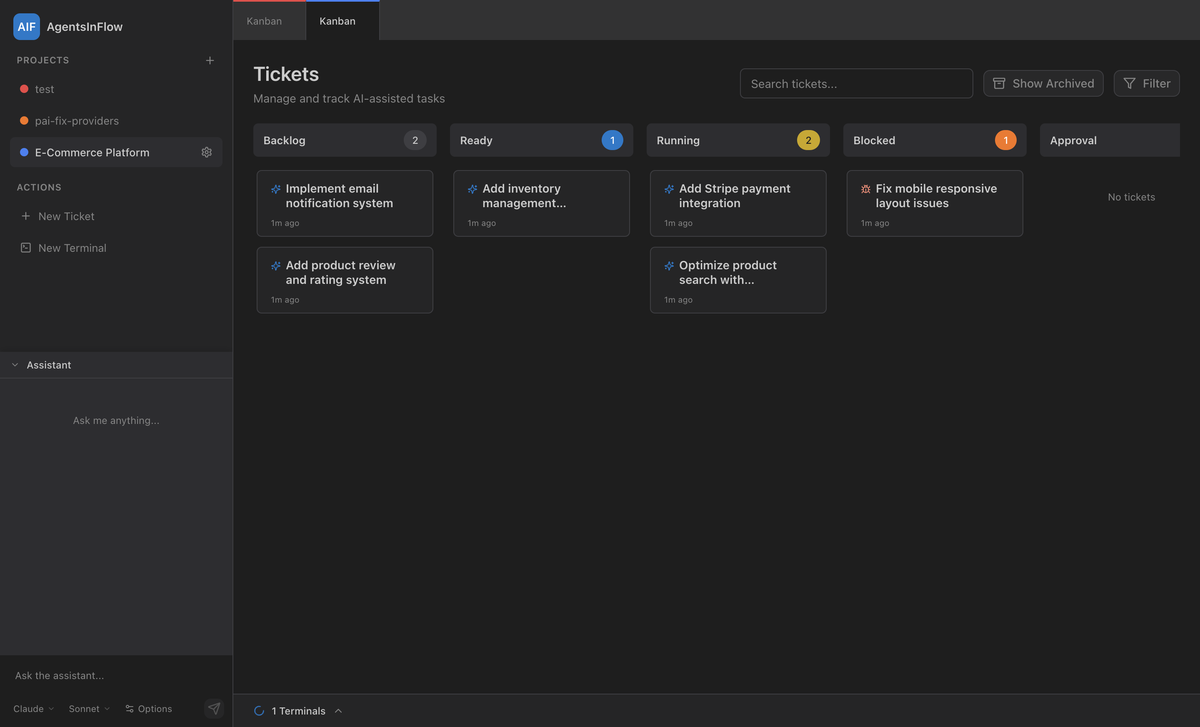
AgentsInFlow is the command center you've been building in your head. One window. All your projects. All your agents. Complete visibility.
Stop alt-tabbing between terminals. See all your projects, all your tasks, and all your agent sessions in a single interface. Know exactly what's running, what's done, and what needs your attention.
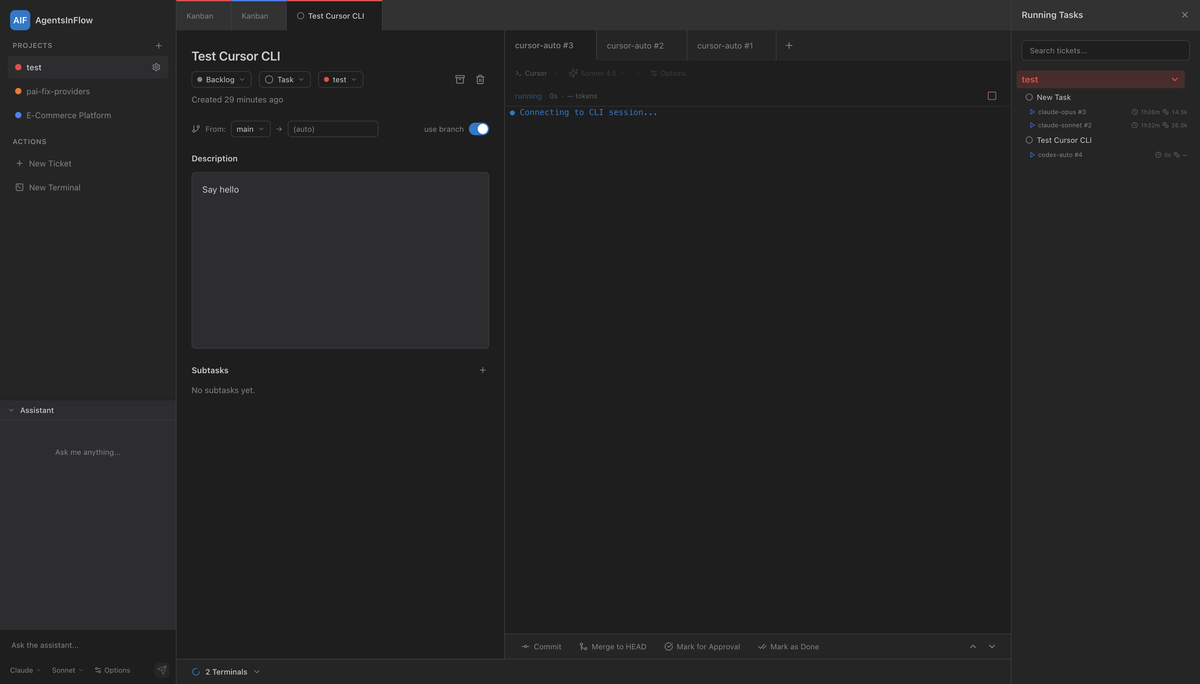
Configure MCPs and settings once per project. AgentsInFlow injects them at runtime—works with Claude Code, Codex, Cursor. No more global config chaos. Disable something for one project? Others stay untouched.
Lost track of 20 tasks across 5 projects? Ask the assistant. With app access enabled, it can inspect and update projects, tickets, subtasks, executions, and terminals. Start from a quick capture, then ask the assistant to turn it into a proper planned ticket.
// features
On macOS, use Command+G to open New Ticket instantly and capture ideas without breaking focus.
Start with a lightweight ticket, run an exploration attempt, then refine the description before the next execution.
PTY-backed terminal with automatic secret redaction. API keys, tokens, and credentials are never exposed in logs.
Track input, output, cached, and reasoning tokens per execution. Know exactly where your API budget is going.
Sandbox modes, approval policies, and granular permission controls. You decide what agents can and cannot do.
Track running, awaiting input, and awaiting approval work in one panel. Restart-paused executions can be resumed.
Dynamic Chrome MCP port injection lets multiple agents share browser sessions without conflicts. No more port collisions or session interference.
Break complex tickets into granular subtasks. Define dependencies. Execute in parallel for maximum speed.
Link multiple agent sessions to one task. Compare how Claude Code vs Codex approached the same problem.
Every agent thought, delta, error, and exit logged. Replay executions, debug issues, learn from what worked.
AI Engines Supported
Window Needed
Terminals to Juggle
Token Visibility
Free during beta. We'd love your feedback and feature requests.
macOS (Apple Silicon) live. Windows/Linux planned.